A Beginner's Guide to Effective Website Design and Creating a Compelling Online Presence


Did you know that 94% of first impressions of a website are based on its design? In just 0.05 seconds, visitors decide whether to stay or leave.
That’s how powerful website design can be—it’s not just about aesthetics; it’s about creating trust, engagement, and action.
At Let’s Design Your Site, we specialize in helping businesses craft websites that not only look stunning but also deliver results.
Whether you’re starting from scratch or revamping an existing site, we’re here to guide you every step of the way to create a compelling online presence that truly stands out.
Why Good Website Design Matters
Ever stumbled on a website that looked like it hadn’t been touched since 2002? Maybe it had clunky navigation, text too small to read, or colors that don’t complement each other.
Did you even stay for a few minutes? Probably not. That’s the power of website design—it either pulls people in or pushes them away in just a few seconds.
Great layout isn’t just about looking good. It’s about making sure visitors can easily find what they want, trust your business, and take action—whether that’s buying your product, signing up for updates, or reaching out to you.
The Big Three Principles of Website Design
User Experience (UX):
This one’s huge. A good website structure prioritizes how users interact with your site. Is it easy to find information? Are buttons easy to click?
Visitors should never feel frustrated. If they do, they’ll bounce (aka leave) faster than you can say “responsive web design.”
Visual Hierarchy:
Visual hierarchy is all about guiding the eye. Your most important content should stand out first, whether it’s your headline, a call-to-action button, or an image. Use font sizes, colors, and layout to make sure your visitors' eyes go exactly where you want them to.
Mobile Responsiveness:
Did you know 63% of global internet traffic comes from mobile devices? If your site doesn’t look good on a phone, you’re losing out—big time. Responsive web layout ensures your website adjusts beautifully to all devices, from smartphones to desktops.
Don’t Just Build a Website—Build a Journey

Creating an awesome site isn’t just about slapping some text on the screen and adding a nice photo. It’s about configuring a customer’s experience. Start by thinking like a visitor. What would you expect or need?
The Ingredients of an Intuitive Website
Clear Navigation
Nobody likes getting lost—especially not on a website. Your navigation menu should be simple and straightforward with clear labels like “About Us,” “Services,” or “Contact.” Drop-down menus are fine, but don’t overdo it.
Calls to Action (CTAs)
What do you want your visitors to do? Buy something? Sign up for a newsletter? Book a consultation? Your calls to action (CTAs) should make that crystal clear. Buttons like “Get Started,” “Shop Now,” or “Contact Us” should be prominent and easy to find.
Here’s a Pro Tip: Use action-oriented wording that motivates visitors. For example, “Transform Your Space Today” is way more compelling than “Learn More.”
Design Mistakes You Should Totally Avoid
It’s easy to get a bit carried away when configuring a site, but some choices can backfire. Watch out for these common mistakes:
Too Much Clutter: Simplicity wins every time. Avoid throwing too many elements on the page. Keep it clean and focused.
Hard-to-Read Fonts: Your fonts should be legible on any device. Fancy scripts are fun, but don’t use them for long bits of text.
Auto-Playing Videos or Music: Visitors don’t want to be startled as soon as they land on your site. If you’re using video or audio, give them the option to press play.
Broken Links and Slow Load Times: Nothing screams “unprofessional” like clicking a link and getting an error page. Plus, slow sites can frustrate users before they even get to your content.
Awesome (and Affordable) Tools to Help You Design
Not a professional web builder? No problem. There are plenty of free or budget-friendly tools to get you started. Here are a few we love:
Canva: Perfect for creating graphics like banners or headers. User-friendly and free!
Google Fonts: Choosing great typography has never been easier—or more affordable (since it’s free).
Trello: Not a layout tool, but super helpful for organizing your website creation process.
Unsplash: Need high-quality, royalty-free images? Unsplash has got your back.
WordPress or Wix: These platforms make it easier than you’d think to build a beautiful site. Extra kudos to Wix for being ultra beginner-friendly.
How Your Site’s Design Impacts Conversions
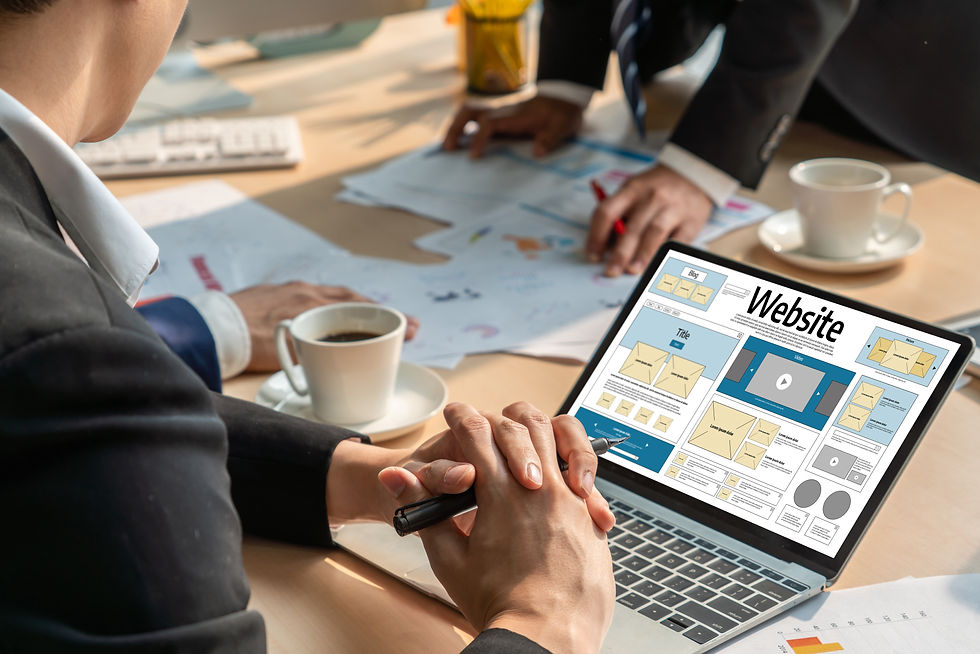
Here’s the thing—your website isn’t just a digital brochure; it’s a tool to turn visitors into clients. That’s where web layout services come in. A well-designed site can significantly boost your conversion rates.
When visitors land on your website, for example, they’re likely to leave if the pages are slow or the checkout process seems confusing.
Likewise, businesses offering web layout services or web structure and development often see better client engagement and trust when their websites are sleek and user-focused.
First impressions? They really matter. People form opinions about your business in less than a second. If your website looks unprofessional or outdated, they’ll assume your business is too.
Your Website, Your Success Story
At Let’s Design Your Site, we don’t just build websites—we create experiences that captivate your audience and drive results.
With our expertise in responsive web plans, e-commerce website layout, and web layout services, we’ll help you turn your vision into a reality.
Ready to make your website the best it can be? Visit Us Today and take the first step toward a compelling online presence.
Sources:


